Windows 10 / 11
x64 · 2.48 MB
SHA-256
c4dee11f11dd6e8b308257105f8db29819140c239729b81198d1af7f373ff8c6
Sonda is a free, fast, and simple tool to recover photos, videos, and documents that were deleted or corrupted. No size limits, no ads, no upsell.
Why Sonda
No 24-hour trial, no 100 MB limit, no upsell to a Pro version. Everything that exists is here, always.
No paid version, no file size limits, no signup, no ads. Always.
Recovery of deleted and corrupted files. Not a suite of 14 tools — just one tool that does one thing well.
Optimized engine with raw I/O. Lists the root of a 32 GB USB drive in under half a second.
Open it, pick the drive, mark the files, recover. Three clicks. No setup, no command line, no manual.
Recovery happens locally on your machine. Recovered files are written to the folder you choose — we never upload them anywhere.
The source device is opened in read-only mode. Sonda never writes to the drive you are recovering from.
Screen by screen
Plug in the device, pick the files you want back, save them to a destination folder. Done.
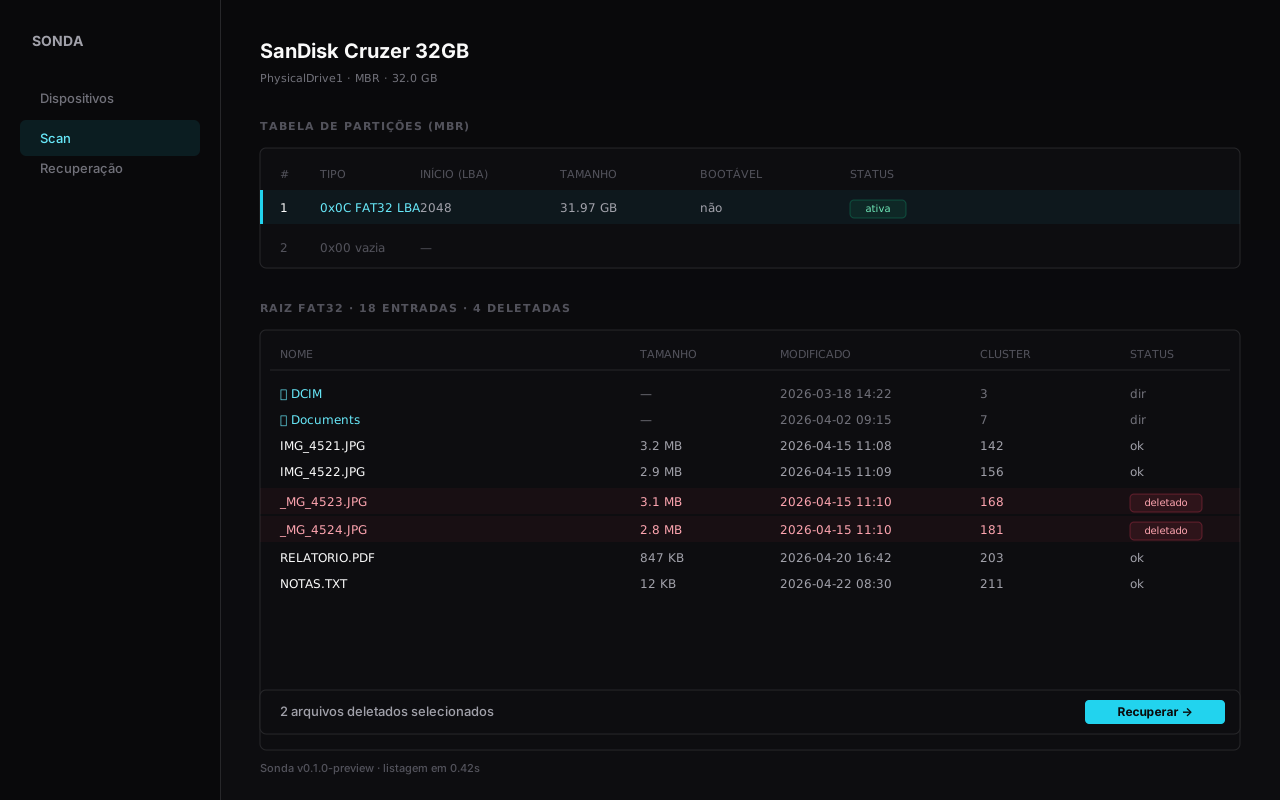
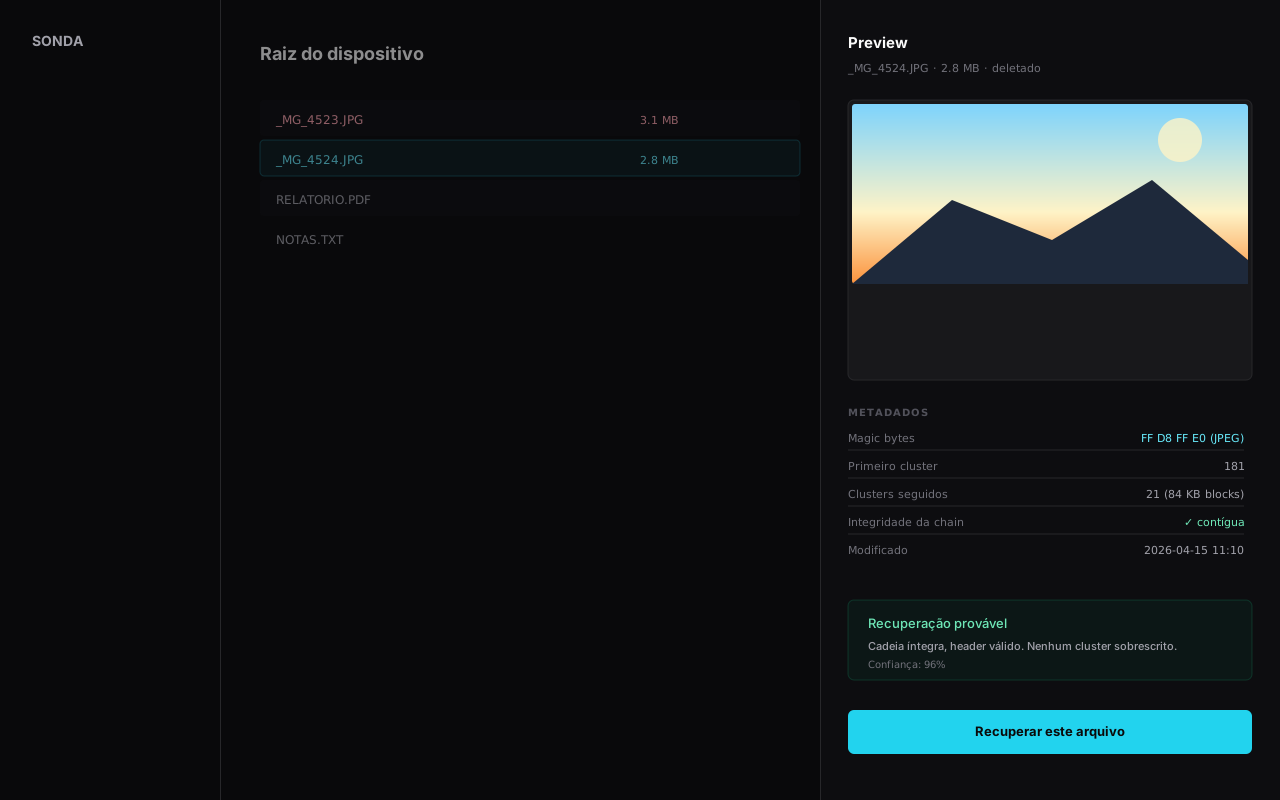
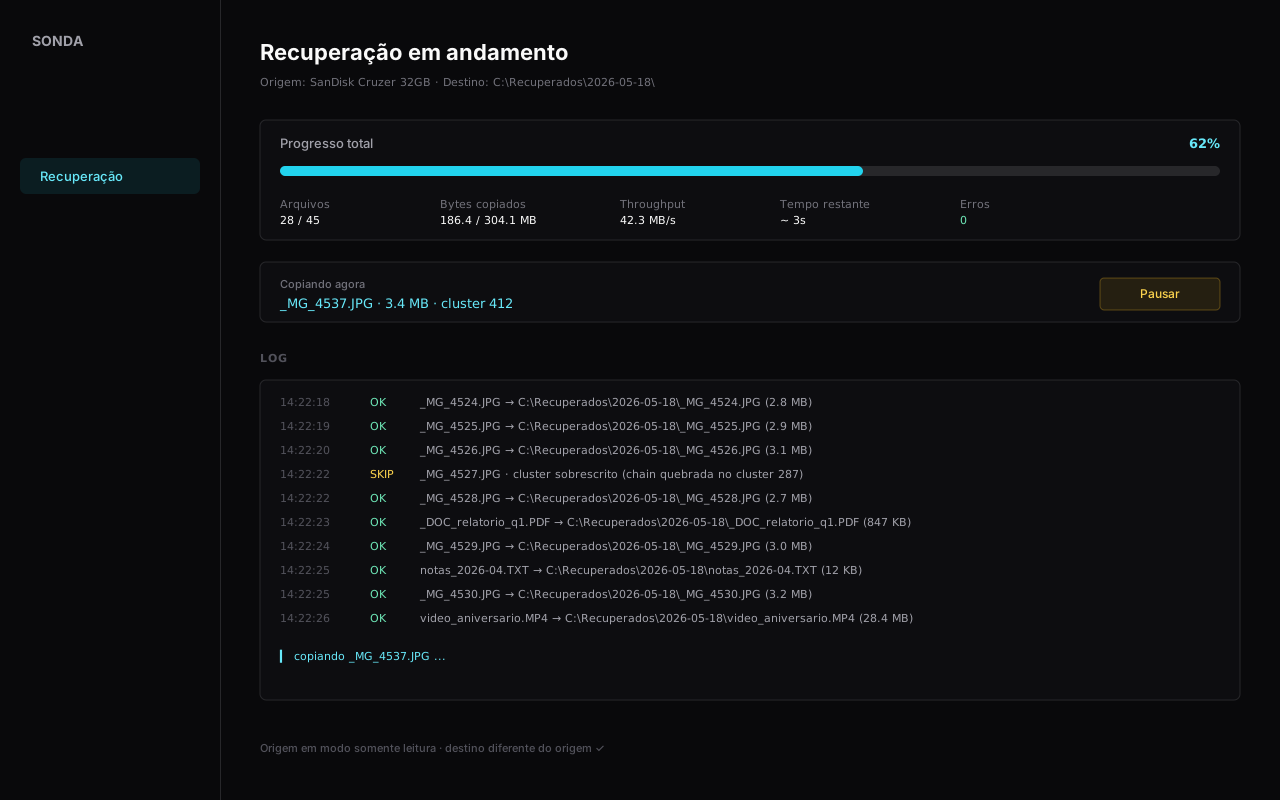
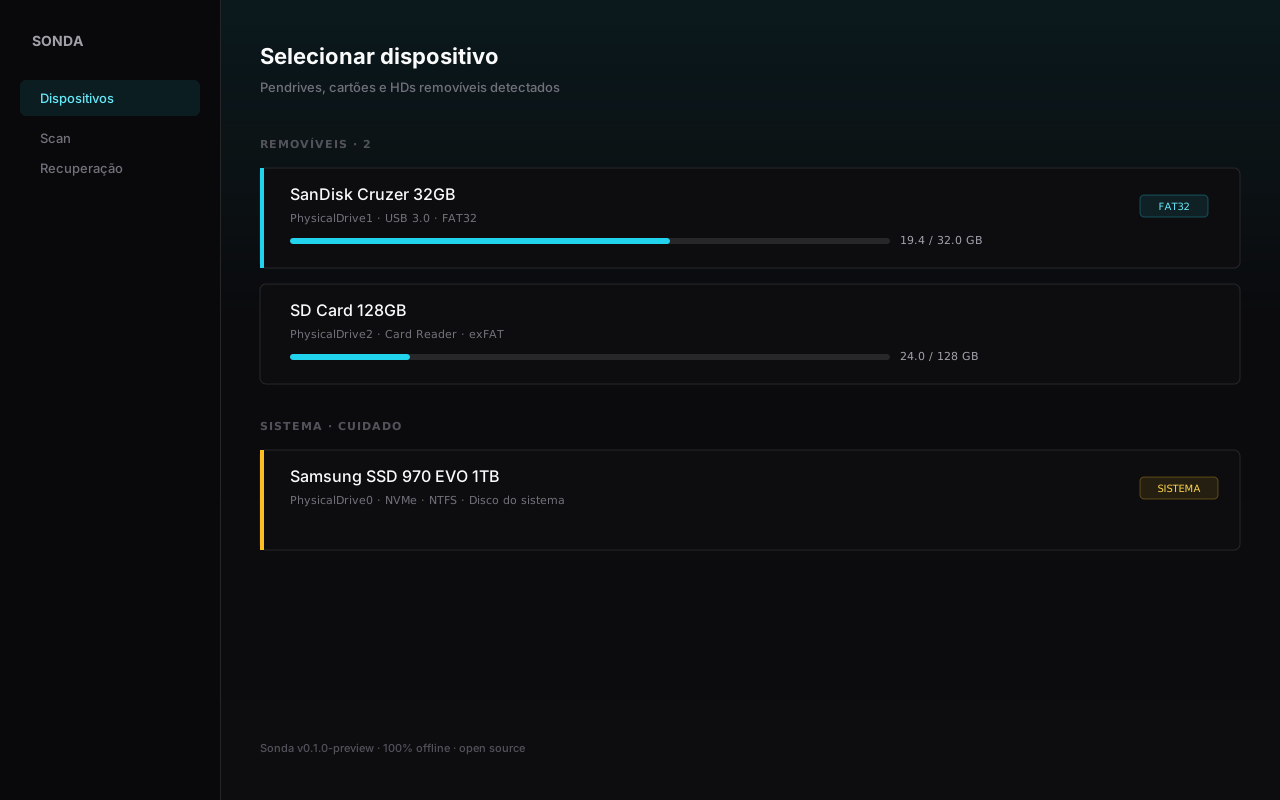
Captures from the preview build. The final layout may change.
How it works
No complex setup, no manual to read. Plugged the drive in? In under a minute you are looking at your files.
Plug the USB drive, SD card, or external HDD into your computer. Sonda detects it automatically, even when Windows cannot open it.
Click the drive in the list. System disks appear highlighted in amber to prevent operating on the wrong one.
Sonda shows the partition table and the file list, with deleted files highlighted. No waiting, no long loading bar.
Select one file, several, or all of them. Preview available for images, PDFs, and text before copying.
Always on a disk other than the source (Sonda warns if you try). Files are copied without altering the original drive.
Verifiable download
Each binary publishes its SHA-256 hash. Run Get-FileHash before executing to make sure the file is intact.
x64 · 2.48 MB
SHA-256
c4dee11f11dd6e8b308257105f8db29819140c239729b81198d1af7f373ff8c6
x64 · —
SHA-256
Waiting for first release
universal · —
SHA-256
Waiting for first release
Frequently asked questions
Yes. Sonda is 100% free — no paid version, no file size limit, no signup, no ads. We do not ask for your email, we do not show ads, we do not charge for extra features.
No. Device reading and recovery happen locally on your computer. Recovered files are written to the destination folder you choose, on your own disk. Sonda does not upload files anywhere.
Photos (JPG, PNG, RAW, HEIC), videos (MP4, MOV, AVI), documents (PDF, DOCX, XLSX, TXT), audio (MP3, WAV, FLAC), archives (ZIP, RAR), and any other kind. Filesystem-based recovery preserves the original name; carving (deep mode) extracts by header signature.
FAT32 (fully supported, including long file names and detection of deleted files). exFAT and NTFS are in development. Carving mode works on any device, regardless of filesystem, because it scans the raw disk looking for file signatures.
USB pen drives, SD/microSD cards (via reader), CF cards, CFexpress cards, and any other removable storage Windows recognizes as a block device. External USB HDDs also work. SSDs with TRIM enabled may have limited recovery — that is a physical limitation, not a Sonda limitation.
When the operating system deletes a file from an SSD, it sends a TRIM command telling the controller that block can be physically erased. The SSD wipes the cells at its convenience. When recovery software tries to read, the controller returns zeros. It is not a software limitation — it is hardware. USB drives and SD cards typically do NOT implement TRIM, so recovery works well on them.
No. In three clicks you pick the drive, choose the files to recover, and pick the destination folder. There is no required setup, no command line, no hidden menu. If a file appears with a readable name in the list, just click to recover.
Each release publishes a SHA-256 hash of the binary. Before running it, open PowerShell and run: Get-FileHash sonda-setup-x64.exe. Compare the result with the hash shown on the download page. If they match, the file is intact. Always download from the official site.
Raw disk access (raw block device) requires elevated privilege on Windows. Without it, no software can read sectors directly — only files on the mounted filesystem, which would make recovery impossible. The Windows UAC asks for permission once when you open the app.
Sonda is genuinely free — no paywall, no file size limit, no "trial mode", no upsell to a Pro version. The free alternatives in those suites always have some restriction (10 MB, 1 GB, or partial recovery). Sonda is simple to use: plug in the drive, it shows the files, you pick which to recover.
No, and Sonda explicitly blocks that. Recovering to the source disk can overwrite the very data you are trying to recover. Always pick a destination on another device (internal drive, another USB stick, a folder on your machine).
The engine architecture is already prepared for both platforms — disk reading and device enumeration interfaces are abstracted. Only the platform-specific layers remain. No promised date, but it is the next step after stabilizing the Windows version.
Did not find your answer? Contact us at contato@sonda-recover.com.